Running the RENEE Bulk RNA Sequencing Pipeline
Learning Objectives
After this class, participants will be able to apply Unix skills to run a bulk RNA sequencing analysis pipeline on Biowulf.
Signing onto Biowulf's HPC OnDemand
Biowulf staff has provided this class 40 student accounts for accessing HPC OnDemand and each participant has been assigned to one.
Note
For student accounts, use https://hpcclass.cit.nih.gov/ to connect. For those connecting using personal Biowulf accounts use https://hpcondemand.nih.gov/ and log in via PIV.
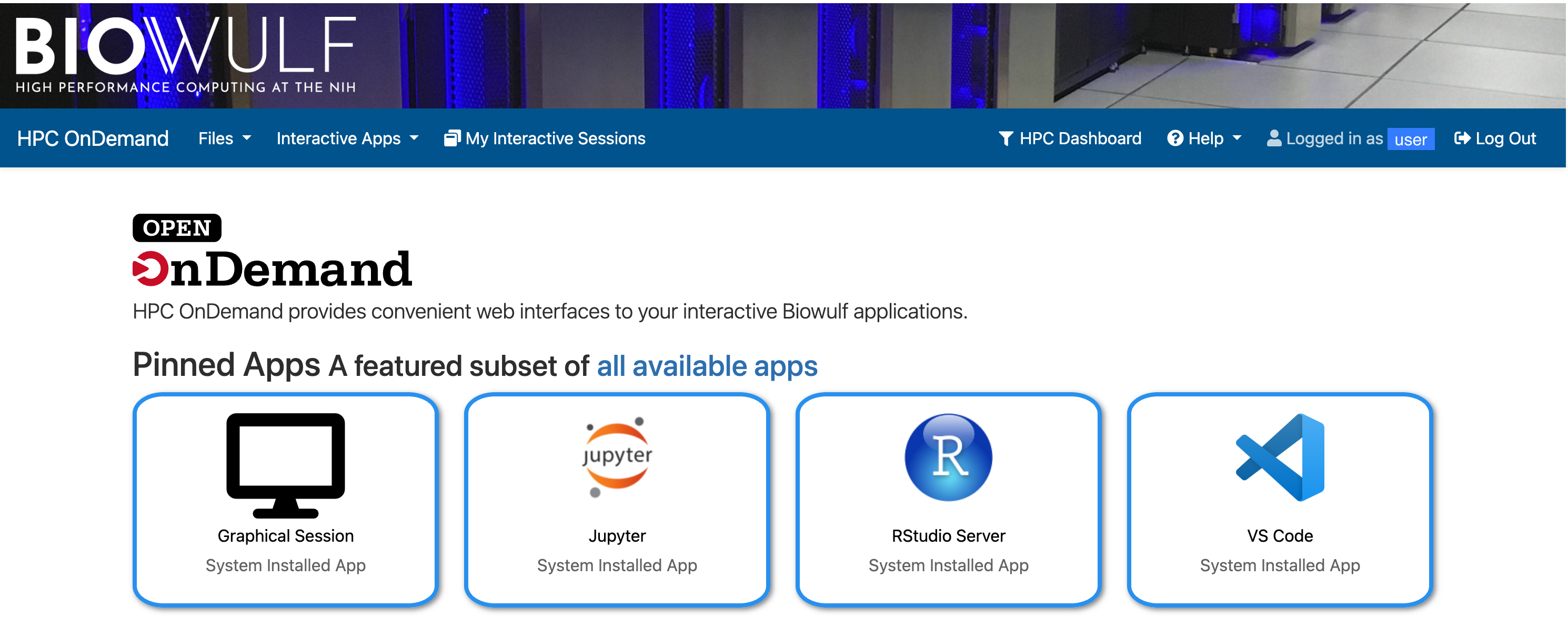
Upon logging in, users will see a sign that says "Logged in as" followed by whatever the username is on the top right. For student accounts, this will say "student#" where "#" is any number from 1 through 40. On the other hand, the participant's NIH username is displayed for personal Biowulf accounts. Several tabs presented in the homepage of HPC OnDemand enable launching some popular graphical applications such as R Studio and Jupyter Lab.
Get an Interactive Terminal on HPC OnDemand
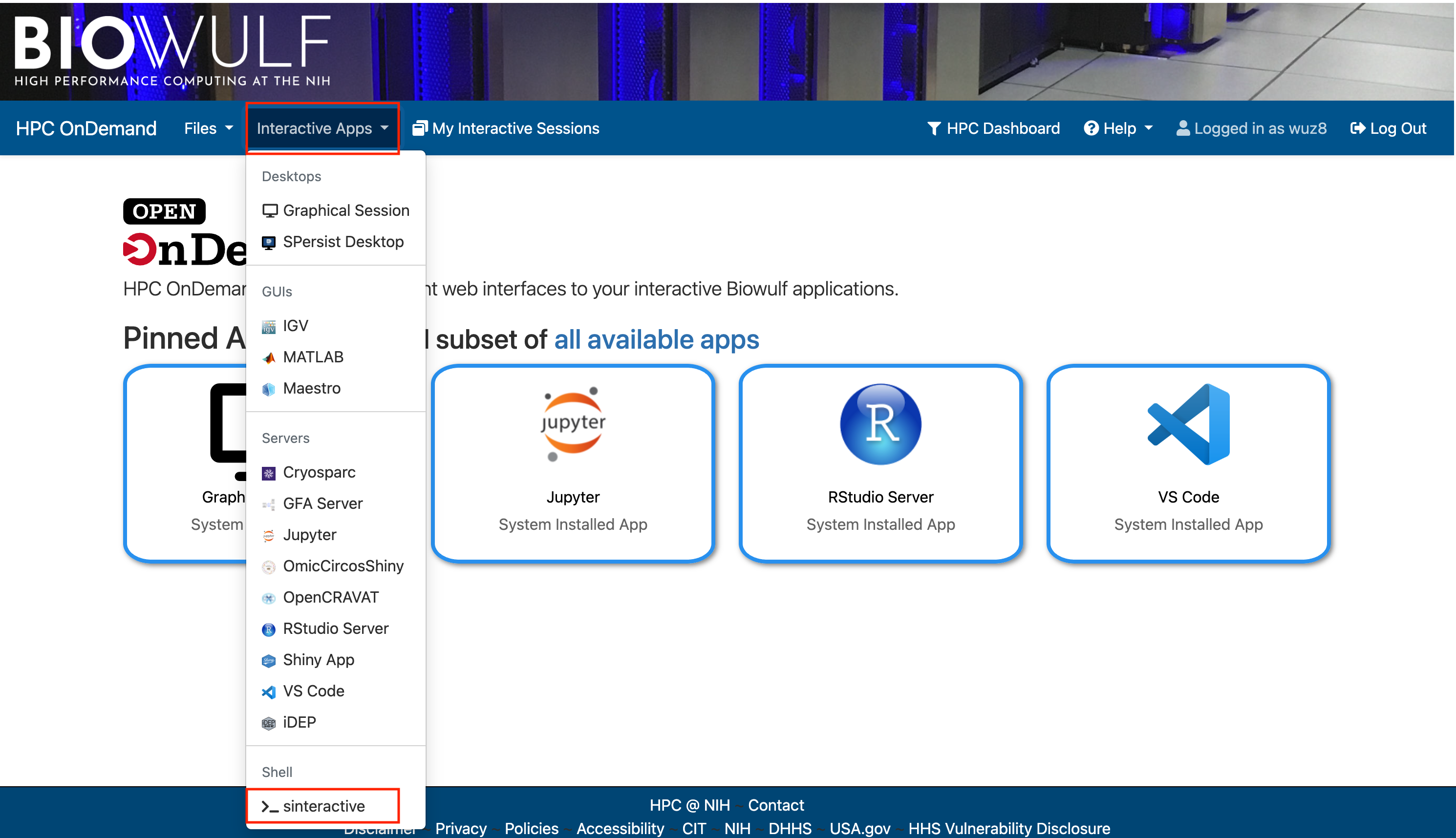
After signing onto HPC OnDemand, select the "Interactive Apps" drop down and choose to start a terminal session on one of Biowulf's compute nodes. This terminal session consumes one of the two allotted Biowulf interactive sessions.
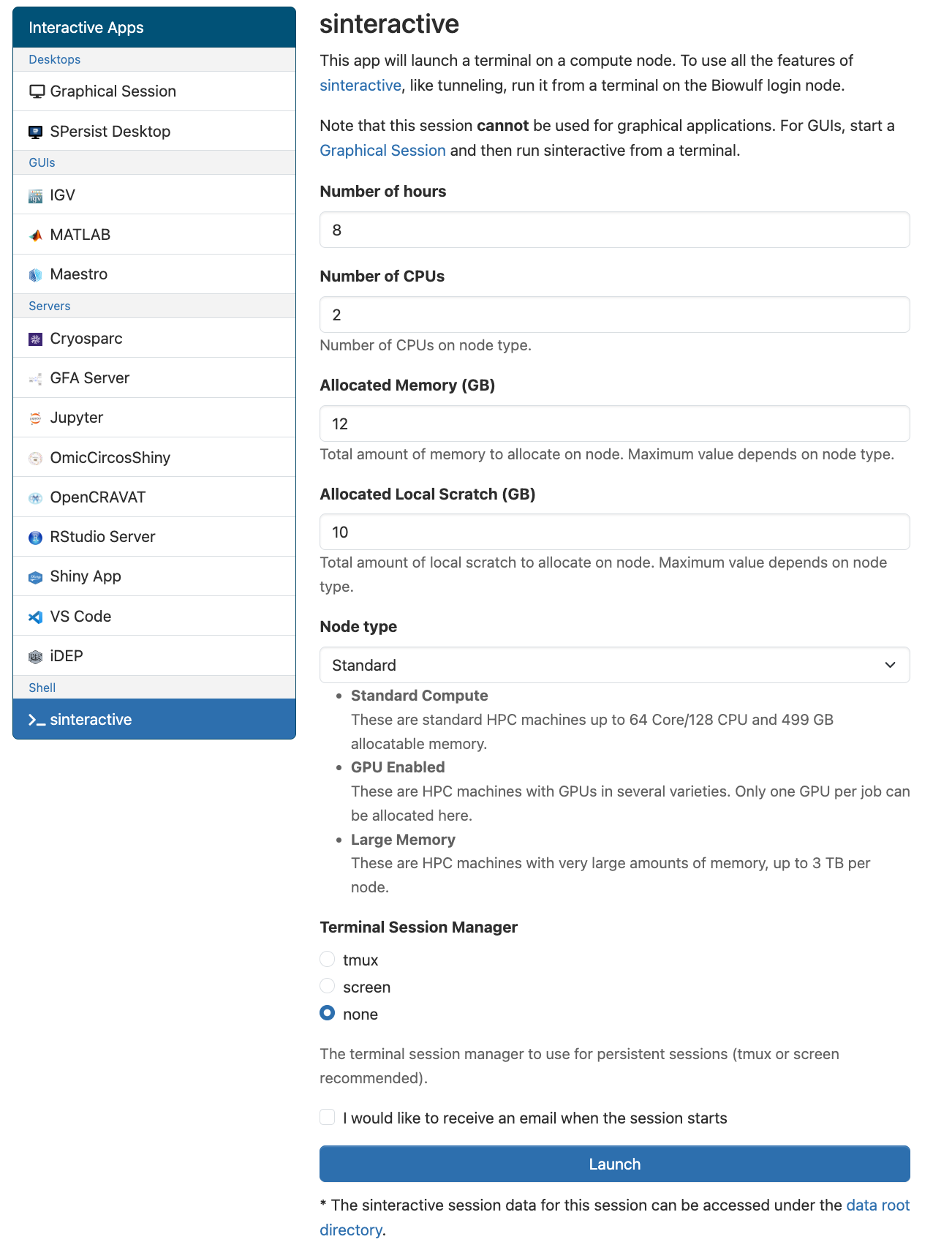
In the next page enter the compute resources needed. Here, the default will do. Scroll to the bottom and click launch when ready.
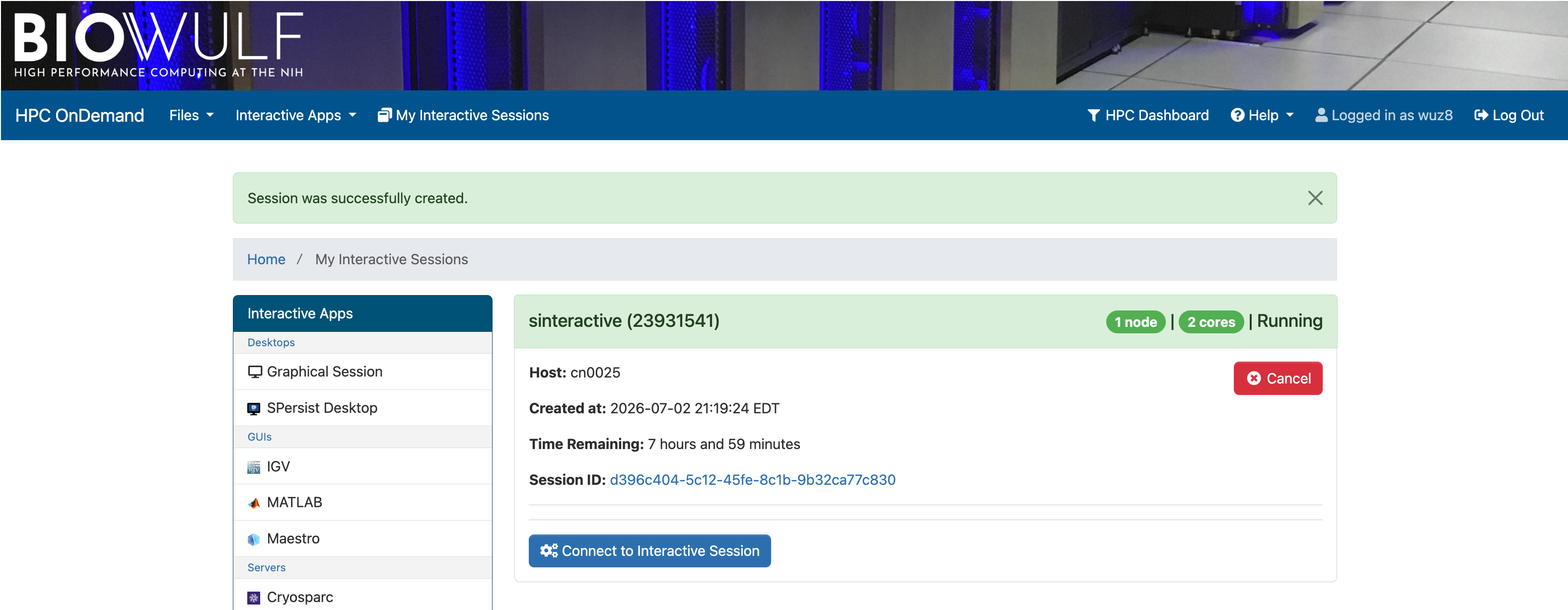
After resources have been granted, a button labeled "Connect to Interactive Session" will appear. Click on this.
Users will then be taken to a terminal.
Change into Participant's Biowulf Data Directory
Change into the participant's Biowulf data directory using the command below. The variable $USER points to the participant's Biowulf user ID.
cd /data/$USER
Then make a folder called hcc1395_renee_b4b. List the content of the data folder to confirm that the output directory has been created. The output from the example bulk RNA sequencing analysis will be written here.
mkdir hcc1395_renee_b4b
RENEE Pipeline General Usage and Documentation
The GitHub repository for RENEE can be found at https://github.com/CCBR/RENEE. A detail set of instructions for running this pipeline can be found at https://ccbr.github.io/RENEE/latest/.
Tip
If working from the terminal rather than HPC OnDemand, use sinteractive to get a session on Biowulf's compute node to run the RENEE.
The following messages will be printed to the terminal once the interactive compute session is granted.
salloc: Pending job allocation 25537775
salloc: job 25537775 queued and waiting for resources
salloc: job 25537775 has been allocated resources
salloc: Granted job allocation 25537775
salloc: Nodes cn0011 are ready for job
Next, the ccbrpipeliner module will need to be loaded. This module enables scientists to access all CCBR analysis pipelines.
module load ccbrpipeliner
After the ccbrpipeliner is module loaded, users will see the message below listing all of the available pipelines for analyzing different sequencing data types.
    "ccbrpipeliner" is a suite of end-to-end pipelines and tools
    Visit https://github.com/CCBR for more details.
    Pipelines are available on BIOWULF and FRCE.
    Tools are available on BIOWULF, HELIX and FRCE.

    The following pipelines/tools will be loaded in this module:

    PIPELINES:
    ASPEN       v1.1    ATAC-seq        https://ccbr.github.io/ASPEN/1.1
    CARLISLE    v2.7    CUT&RUN         https://ccbr.github.io/CARLISLE/2.7
    CHAMPAGNE   v0.5    ChIP-seq        https://ccbr.github.io/CHAMPAGNE/0.5
    CHARLIE     v0.12   circRNAs        https://ccbr.github.io/CHARLIE/0.12
    CRISPIN     v1.2    CRISPR          https://ccbr.github.io/CRISPIN/1.2
    ESCAPE      v1.2    EV-seq          https://ccbr.github.io/ESCAPE/1.2
    LOGAN       v0.3    whole genome seq    https://ccbr.github.io/LOGAN/0.3
    RENEE       v2.7    bulk RNA-seq        https://ccbr.github.io/RENEE/2.7
    SINCLAIR    v0.3    scRNA-seq       https://ccbr.github.io/SINCLAIR/0.3
    XAVIER      v3.2    whole exome-seq     https://ccbr.github.io/XAVIER/3.2

    TOOLS:
    spacesavers2    v0.14           https://ccbr.github.io/spacesavers2/
    permfix     v0.6            https://github.com/ccbr/permfix/
    ccbr_tools  v0.4            https://ccbr.github.io/Tools/

###########################################################################
            Thank you for using CCBR Pipeliner
            Comments/Questions/Requests:
            CCBR_Pipeliner@mail.nih.gov
###########################################################################
Use renee --help to see what scientists can do with this pipeline.
renee --help
[+] Loading singularity  4.3.7  on cn4310
[+] Loading snakemake  7.32.4
Python version: 3.12.11
usage: renee [-h] [--version] {run,gui,build,unlock,cache,debug} ...

a highly-reproducible RNA-seq pipeline

positional arguments:
  {run,gui,build,unlock,cache,debug}
                        List of available sub-commands
    run                 Run the RENEE pipeline with your FastQ files.
    gui                 Launch the RENEE pipeline with a Graphical User Interface (GUI)
    build               Builds the reference files for the RENEE pipeline.
    unlock              Unlocks a previous runs output directory.
    cache               Cache software containers locally.
    debug               Debug the RENEE pipeline base directory.

options:
  -h, --help            show this help message and exit
  --version             show program's version number and exit
The run subcommand in RENEE enables users to run the pipeline. Further, build allows users to build a custom genome for their analysis. However, this not necessary as CCBR has already built genomes for human and mouse (see https://ccbr.github.io/RENEE/latest/RNA-seq/Resources/#1-reference-genomes). For this class, the RNA sequencing data will be aligned to hg38_36.
Next, the command construct below will be used to get the bulk RNA analysis on the example dataset going. Remember the \ at the end of each line denotes continuation so the terminal runs all lines as one command. This is included to enhance document readability. Explanation for the command construct is below.
renee run:- Each RENEE task starts with
reneefollowed by the sub-command (runhere to run an analysis).
- Each RENEE task starts with
--input:- Prompts for path to
FASTQfiles. These are stored in/data/classes/BTEP/hcc1395_renee_b4b/reads. - The use of globbing enables RENEE to grab all FASTQ files at the same time.
*matches any sequence of characters, including no characters.- ? matches exactly one character and can be used to distinguish read 1 from read 2 in paired-end sequencing files.
- Prompts for path to
--output:- Prompts for the output directory. Here is
hcc1395_renee_b4b.
- Prompts for the output directory. Here is
--genome:- Here, users will enter reference genome (ie. hg38_36).
- For custom genomes, supply the path for the reference genome
jsonfile.
--mode:slurmis used for this argument to allow for submitting of this analysis to the Biowulf cluster and leave it running.
--star-2-pass-basic:- Enables better splice junction detection.
--sif-cache:- Here, users will enter the path for cache files that act as share resources for the RENEES pipeline. The path used in this examples is
/data/CCBR_Pipeliner/SIFs.
- Here, users will enter the path for cache files that act as share resources for the RENEES pipeline. The path used in this examples is
--partition student:- Ensures that the analysis is sent to the
studentpartition on Biowulf as student accounts cannot access thenormpartition.
- Ensures that the analysis is sent to the
--time:- 8 hours is set here since this the maximum time allowed on a job submitted to the Biowulf student partition.
renee run \
  --input /data/classes/BTEP/hcc1395_renee_b4b/reads/*.R?.fastq.gz \
  --output /data/$USER/hcc1395_renee_b4b \
  --genome hg38_36 \
  --mode slurm \
  --star-2-pass-basic \
  --sif-cache /data/CCBR_Pipeliner/SIFs \
  --partition student \
  --time 8:00:00